Free Invoice Generator for Indian Businesses
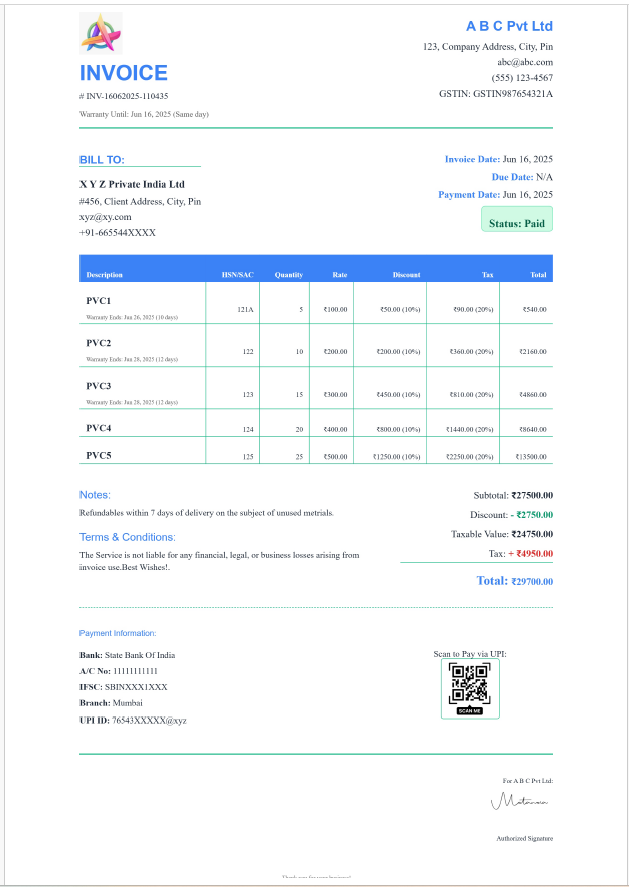
Create a professional, GST-ready invoice in about a minute: add your client, pick products, and the tax, totals and amount in words are worked out for you. Download it as a PDF, print it, or send it straight to your customer on WhatsApp or email.
InstaInvoice is free for billing, with unlimited invoices and unlimited PDF downloads, and no watermark on your documents.
Free forever for billing · No credit card · Works on mobile, laptop and Windows
Highlights
GST worked out for you
CGST + SGST within your state and IGST for other states, based on the place of supply.
Your brand on every invoice
Logo, colours, signature, bank details and a UPI QR code so customers can pay instantly.
A4, A5 and thermal receipts
Four templates, plus 80 mm receipts for counter billing.
Share in one click
Send the PDF on WhatsApp or email, or share a secure download link.
What a GST tax invoice must show
Under Rule 46 of the CGST Rules, a tax invoice from a registered business should include:
- Your name, address and GSTIN
- A unique, consecutive invoice number for the financial year (up to 16 characters) and the invoice date
- The customer's name and address, and their GSTIN if they are registered
- HSN code for goods or SAC code for services, with a description, quantity and unit
- Taxable value after any discount, the GST rate, and the CGST, SGST/UTGST or IGST amount
- Place of supply (with the state name for inter-state supplies) and whether tax is payable on reverse charge
- Signature or digital signature of the supplier
Invoice, bill of supply or receipt?
Use a tax invoice when you charge GST. Businesses under the composition scheme, or selling exempt goods, issue a bill of supply instead. Small retail sales to consumers can be printed as a compact thermal receipt, which InstaInvoice produces from the same invoice.
How to do it with InstaInvoice
- 1Sign up free and add your business name, GSTIN, address and logo once.
- 2Choose or add a client: their state sets CGST + SGST or IGST automatically.
- 3Add items by typing, picking from your product list, or scanning a barcode.
- 4Preview, then download the PDF, print it, or share it on WhatsApp or email.
Frequently asked questions
Is this invoice generator really free?
Yes. Creating invoices and downloading PDFs is free with no limit and no watermark. Only the CRM and inventory modules are paid, from ₹250 a month.
Can I use it without GST registration?
Yes. Leave your GSTIN blank and set the tax rate to 0% to create a simple invoice or bill.
Does it calculate CGST, SGST and IGST?
Yes. Within your state the GST is split into CGST and SGST; for another state it becomes IGST, based on the place of supply.
Can I add my logo and a UPI QR code?
Yes. Upload your logo, signature and UPI QR code once and they appear on every invoice you choose.
Can I export invoices for GST returns?
Yes. Your invoices feed GSTR-1 and GSTR-3B summaries, with JSON for the GST portal and Excel export.